ES File Explorer
Tools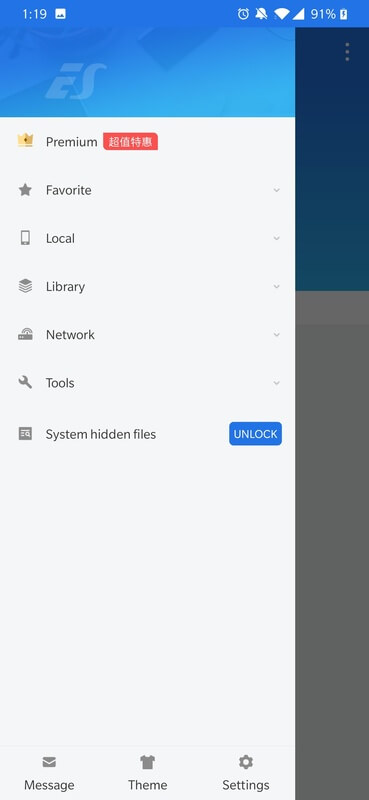
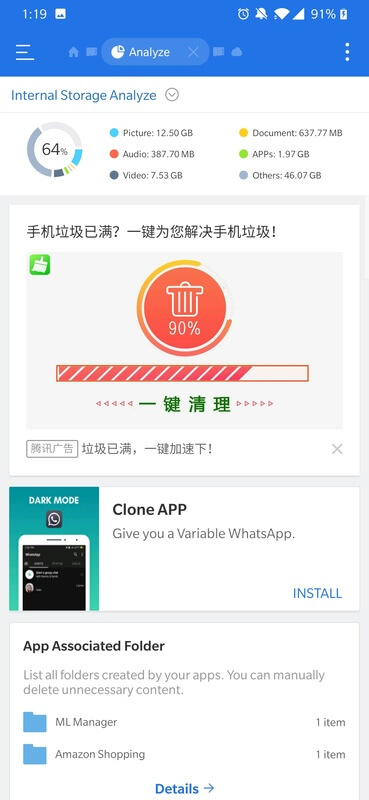
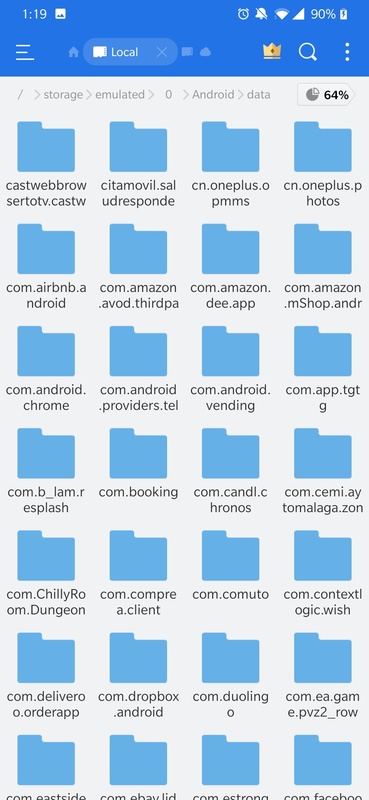
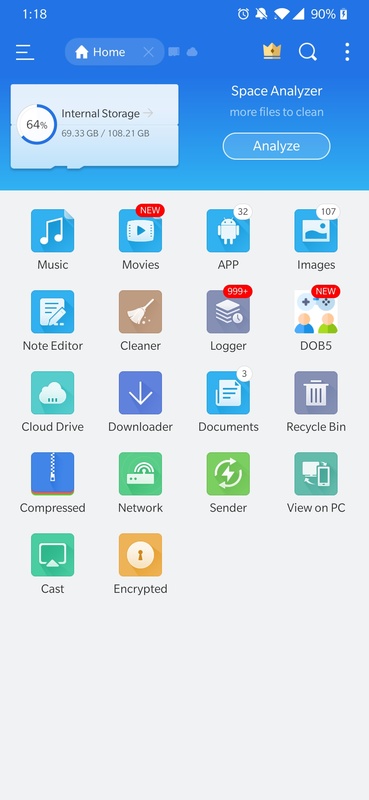

ES File Explorer is a classic Android file manager that lets you browse, copy, move, and organize files stored locally or on network shares. The app offers a dual‑pane view, built‑in archive handling, and support for various cloud services, making it a handy tool for power users and everyday phone owners alike.
This page provides the latest APK details, a step‑by‑step installation guide, compatibility notes, and practical advice on using the app safely.
Quick Information
| App/Game Name | ES File Explorer |
| Latest Version | 4.4.2.2.1 |
| Developer | Not listed |
| Category | Apps / Tools |
| App Size | 35.15 MB |
| Package Name | com.estrongs.android.pop |
| Last Updated | 1 October 2026 |
What Is ES File Explorer?
ES File Explorer functions as a full‑featured file browser for Android devices. Core capabilities include:
- Dual‑pane navigation for quick file transfers.
- Support for common archive formats (ZIP, RAR, 7z) with one‑tap extraction.
- Network access via FTP, SFTP, SMB/CIFS, and WebDAV.
- Integration with popular cloud services such as Google Drive and Dropbox.
- App manager to view installed applications and clear cache.
The app is geared toward users who need more control than the basic file picker that comes with Android, but it does not require root access for its main features.
Compatibility
Compatibility
| Android Version | ✓ Verified — 4.2 & Up |
| Architecture (ARM64 / 32-bit) | Not Verified |
| Internet Connection | ✓ Verified — May be required for ads, updates, or login |
| Storage Needed | Not Verified |
| OBB/Data Files | Not Verified |
| Root Required | Not Verified |
How to Install
- Download the ES File Explorer APK file to your device.
- Open Settings → Security (or Privacy & Security on newer Android versions) and enable Install unknown apps for the browser or file manager you’ll use.
- Locate the downloaded APK in your Downloads folder and tap it.
- Follow the on‑screen prompts to complete the installation.
- Once installed, open the app and grant the requested permissions (storage, network) to enable full functionality.
Troubleshooting
- App not installed: Verify the APK matches the device’s architecture (ARM/ARM64). Clear any partially installed version before retrying.
- Crashes on startup: Ensure the device runs Android 5.0 or newer and that storage permissions are granted.
- Network shares not reachable: Check that the target device’s sharing protocol (FTP/SMB) is enabled and that both devices are on the same Wi‑Fi network.
- Cloud services fail to connect: Re‑enter login credentials and confirm that the device has internet access.
Safety & Security
ES File Explorer is a modified application package, so it’s important to download it from a reputable source. Review the permissions it requests; the app needs storage access to manage files and network permissions for remote connections. Avoid entering sensitive personal data (e.g., passwords) unless you are confident in the source. Keep in mind that future updates from the original developer may not be compatible with a modified build.
How ES File Explorer Compares
| Feature | ES File Explorer | Solid Explorer | Total Commander | Files by Google |
|---|---|---|---|---|
| Price / Free model | Free (mod‑based) | Free trial, then $4.99 | Free with optional paid plugins | Free |
| Platform availability | Android | Android, Android TV | Android, Windows (via emulator) | Android |
| Standout feature | Dual‑pane view + built‑in app manager | Highly customizable UI with theme support | Powerful scripting and plugin ecosystem | Simple, ad‑free cleaning and file browsing |
| Best for | Users who want a classic, all‑in‑one manager | Those who value visual polish and customization | Advanced users needing batch operations | People seeking a lightweight, no‑frills tool |
Alternatives
If ES File Explorer doesn’t meet your needs, consider these well‑known options:
- Solid Explorer: Offers a modern UI, encryption, and extensive cloud integration.
- Total Commander: Known for its powerful file operations, plugin support, and FTP client.
- Files by Google: A lightweight, ad‑free manager focused on cleaning and simple browsing.
Final Verdict
ES File Explorer remains a solid choice for users who prefer a feature‑rich, dual‑pane file manager without paying for a premium app. It handles local files, network shares, and cloud storage well, though it lacks the polish of newer competitors. Before installing, verify the APK’s source, grant only necessary permissions, and ensure your device runs Android 5.0 or later.
Frequently Asked Questions
The app works as intended, but because it is distributed as a modified APK, download it from a trusted source and review the permissions it requests.
ES File Explorer runs on Android 5.0 (Lollipop) and newer.
No, the core file‑management features work without root, though root can unlock additional system‑level operations.
Yes, it includes built‑in support for services like Google Drive and Dropbox after you sign in.
The error often appears when the APK is corrupted, mismatched for your device’s CPU architecture, or when a previous version is still present; try clearing the install cache and reinstalling.
You should uninstall the Play Store version first to avoid conflicts, then install the APK you downloaded.